A dynamic group automatically contains all contacts that meet your conditions. You define once who should belong to it, for example "all contacts from Berlin" or "all contacts whose birthday is today". From then on, seven keeps the members up to date for you. With a static group, on the other hand, you add contacts manually or via import.
Create a dynamic group
- Open Contacts from the left menu.
- In the GROUPS sidebar, click the folder-plus icon next to the heading.
- In the New Group dialog, enter a group name (and optionally an icon and a color).
- Select Dynamic as the group type.
- Under Conditions, define which contacts should belong to the group and click Create.
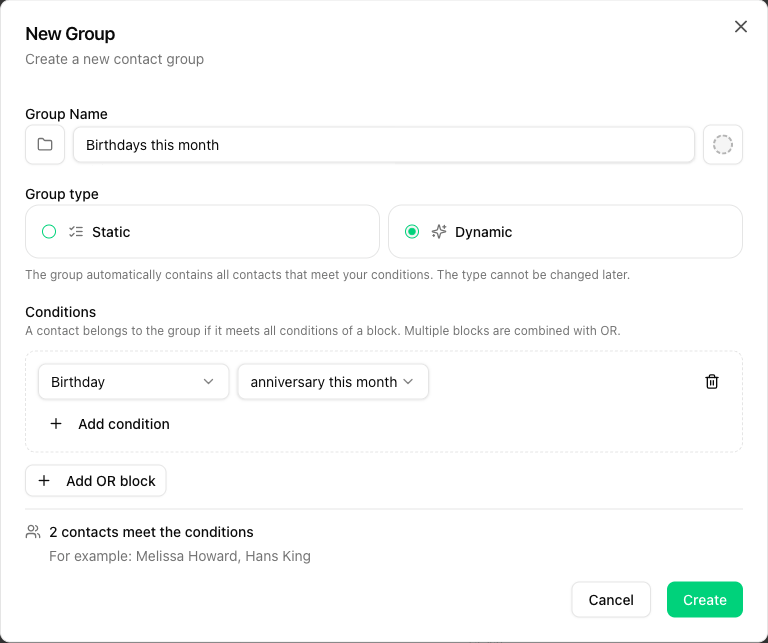
The group type cannot be changed after the group has been created. A dynamic group cannot become a static one and vice versa. You can edit the name and the conditions at any time via the three-dot menu next to the group.
Define conditions
Each condition consists of three parts:
- Field, for example City, Birthday or Last messaged
- Condition, for example "is", "contains" or "in the last ... days"
- Value, for example "Berlin" or "30"
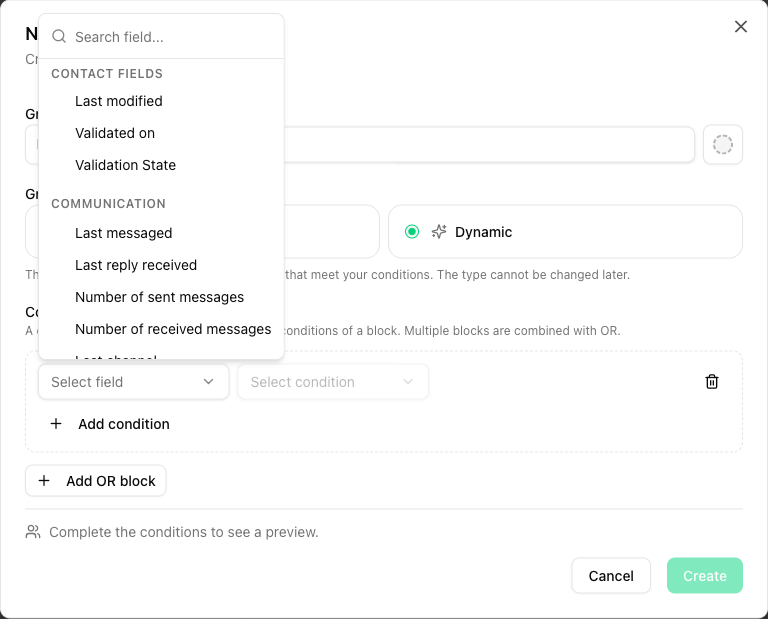
The field picker has a search box, so you can quickly find the right field even if you have many custom fields.
AND and OR
- All conditions within a block are combined with AND. A contact only belongs to the group if it meets all conditions of that block.
- Click Add OR block to add another block. Blocks are combined with OR. A contact belongs to the group as soon as it fully meets one of the blocks.
Example: block 1 "City is Berlin" AND "Last messaged not in the last 90 days (or never)", OR block 2 "member of the group VIP Customers". The group then contains all contacts from Berlin you have not messaged for 90 days, plus all VIP customers.
Each group can have up to 20 conditions, and each account can have up to 20 dynamic groups.
Available fields
The field picker is divided into four sections:
| Section | Fields |
|---|---|
| Contact fields | First name, Last name, Email, Mobile Number, Landline Number, Address, Postal Code, City, Notes, Birthday, Created, Last modified, Validation State, Validated on |
| Communication | Last messaged, Last reply received, Number of sent messages, Number of received messages, Last channel |
| Groups | Group membership: "is a member of any of" or "is a member of none of" (static groups only) |
| Custom fields | Your custom fields, with suitable conditions for each field type (text, number, date, select, multi-select, checkbox) |
Date fields
For date fields such as Birthday, Created or Last messaged, you can use fixed dates ("on", "before", "after", "between") as well as relative conditions:
- in the last ... days, for example contacts created in the last 30 days
- not in the last ... days (or never), for example contacts you have not messaged for 90 days or never at all
- anniversary is today, anniversary this month and anniversary in the next ... days. Only day and month count here, the year is ignored.
A typical use case is the birthday SMS, see Example: send birthday SMS automatically.
Preview of matches
Below the conditions, seven shows a live preview: how many contacts currently meet the conditions and a few sample contacts. This way you can check before saving whether your conditions deliver the result you want.
For accounts with more than 100,000 contacts, matches are not counted automatically. In that case, click Count matches to load the preview.
When is the group updated?
The members of a dynamic group are calculated automatically:
- right before every send to the group, no matter how you send: from the dashboard, via recurring orders, via the REST API with the group name as recipient or via SMS via email. The message always goes to the current members. Scheduled messages are the exception: here the group is calculated when you create the send, not at the time of sending.
- immediately when you create or edit a contact
- after an import or a number validation
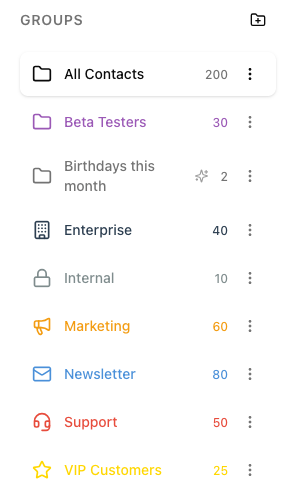
In the GROUPS sidebar, dynamic groups have their own icon. While a group is being recalculated, a loading indicator appears there. The group's contact list updates automatically as soon as the calculation is complete.
Example: send birthday SMS automatically
With a dynamic group and a recurring order, you can congratulate your contacts on their birthday automatically, without having to do anything every day.
- Fill in the Birthday field for your contacts.
- Create a dynamic group, for example "Birthday today", with the condition Birthday - anniversary is today.
- Click New message, select the group as recipient and write your greeting. Use the Placeholders dropdown to insert the first name, for example, so that each contact is addressed personally (see Personalized SMS).
- Expand Interval in the right panel and choose 1 and Days.
- Under Send Time, set when the first message should go out, for example tomorrow at 9:00 am. This time then applies to every following day.
- Send the message as usual.
From now on, the recurring order runs every day at the chosen time. On every run, seven recalculates the group, so exactly the contacts whose birthday is that day receive the message. If nobody has a birthday on a given day, nothing is sent and the recurring order simply continues the next day.
You can also create the recurring order on a day when nobody has a birthday and the group is currently empty.
What dynamic groups don't support
Because seven calculates the members itself, a few restrictions apply:
- You cannot manually add contacts to a dynamic group or remove them from it. Adjust the conditions or the contact data instead.
- Importing into a dynamic group is not possible. Import the contacts without a group or into a static group. If they meet the conditions, they automatically end up in the dynamic group as well.
- When you delete a dynamic group, only the group is deleted. The option "Also delete contacts in this group" is not available here, your contacts are kept.
- A dynamic group cannot refer to other dynamic groups, only to static ones.
Important: If you delete a custom field or a group that is used in the conditions of a dynamic group, the dynamic group is empty afterwards. Messages to this group are then no longer sent. In this case, adjust the conditions.
Communication data on the contact
You can also see the values from the Communication section directly on the contact, on the detail page and in the detail panel to the right of the contact list:
- Last messaged: when you last sent the contact a message
- Last reply received: when the contact last replied to you
- Messages: number of sent and received messages
- Last channel: the channel used most recently, for example SMS, RCS or WhatsApp
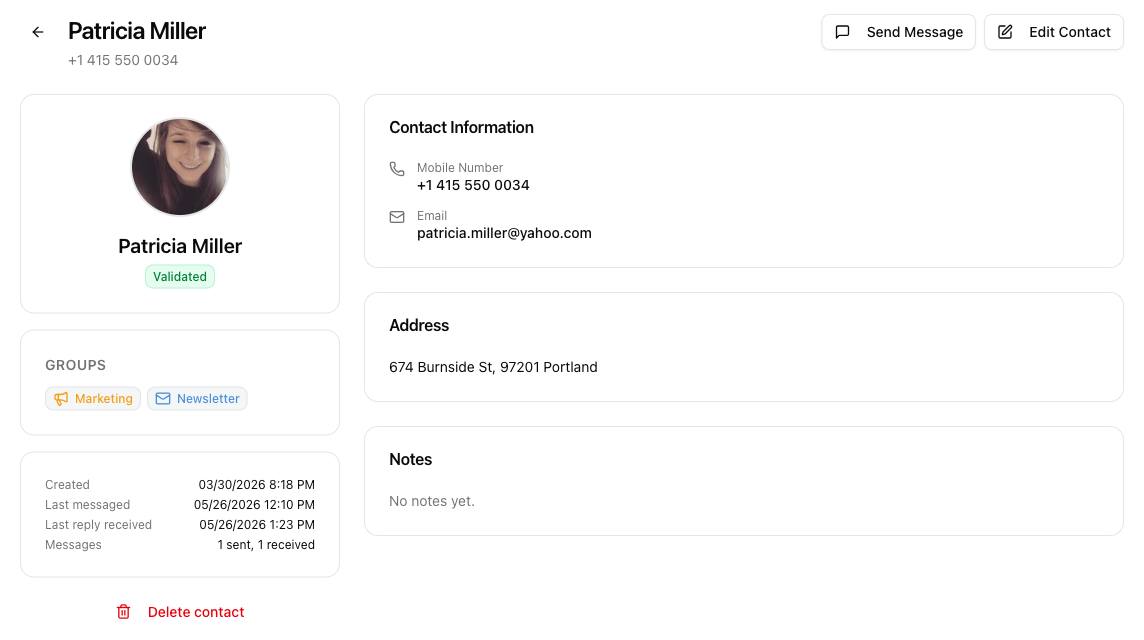
The values are updated automatically whenever you exchange messages with the contact.