Using the Interval function
Click New message to open the Send Message dialog. Fill in recipient, sender and message as usual, then expand Interval in the right panel and pick how often the SMS should go out - any number combined with Days, Weeks or Months.
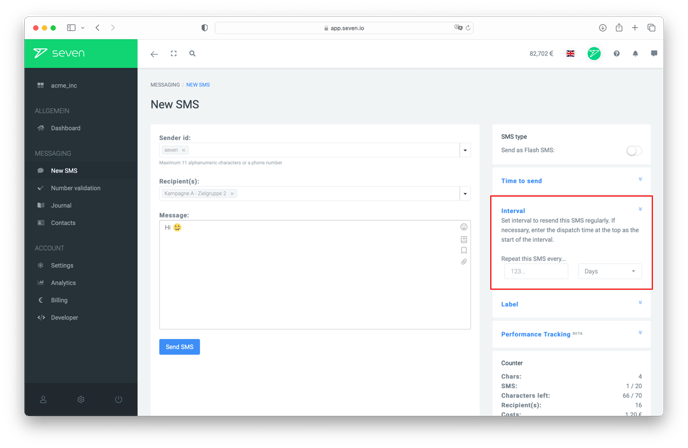
If you want the recurring order to start at a later point in time, set the start in Send Time right above the Interval section.
Managing recurring orders
Recurring orders are visible under Journal -> Recurring Orders. To stop a recurring order, open the entry there and delete it - no further messages will be sent.