Import your contacts
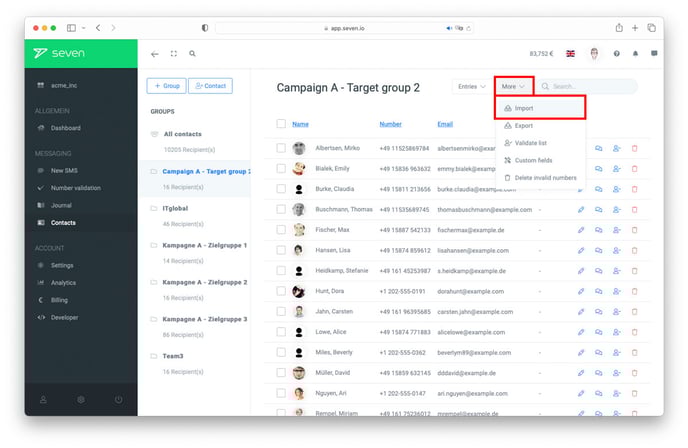
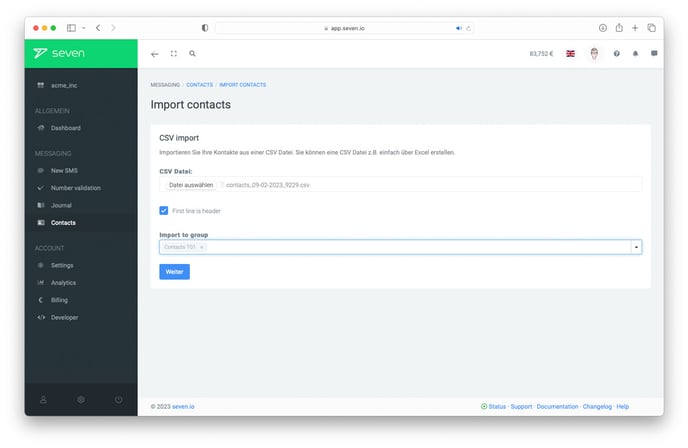
For large recipient lists, manual entry is not realistic. Bulk-import your contacts as a CSV instead - see Importing contacts for the full step-by-step including field mapping.
Tip: assign every import to its own group (for example one per campaign or per audience segment) so you can address the entire group with a single click later.
Send a message to a whole group
Open Contacts and click the three-dot icon next to the group you want to message. Choose Send message to all.
The Send Message dialog opens with the entire group already filled in as the recipient (e.g. "Beta Testers 30 recipients"). Write your message - use the bookmark icon to insert Placeholders like First Name so each recipient gets a personalized SMS - and the estimated cost is calculated automatically. Click Send (⌘↵) to dispatch.
You can also start from New message in the sidebar and pick a group as the recipient instead. Alongside placeholders, bulk SMS support Send Time for scheduled dispatch, Interval for recurring sends and Label for analytics - all in the same dialog.