SMS sent to invalid phone numbers cause unnecessary costs. Validate recipient numbers, especially before the first dispatch.
Validate a single number
Open Lookup, enter the phone number and pick one of the three lookup types:
- HLR - checks whether the number exists, is reachable and returns carrier information.
- MNP - checks whether the number was ported to another network.
- CNAM - returns the registered caller name (US/CA).
You can find current prices in our price list.
Run the lookup. The result shows whether the number is valid and reachable, plus carrier information, country and number formats.
Validate a contact group or all contacts
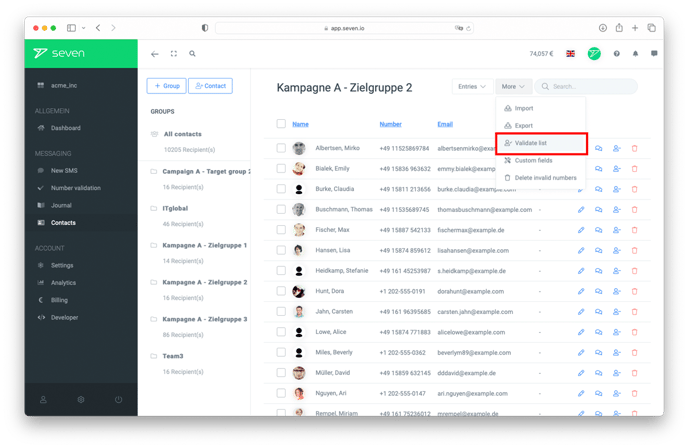
Open Contacts and click the three-dot icon in the sidebar next to the group you want to check or next to All Contacts. Choose Validate Numbers and confirm the prompt.
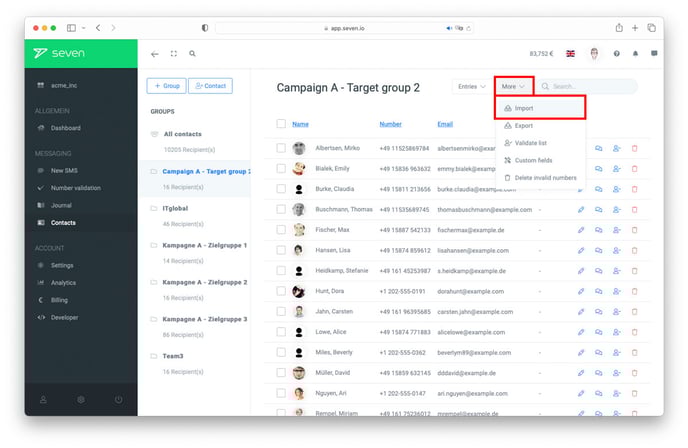
The validation runs in the background, so you can close the dashboard in the meantime. You receive a notification once it is finished. Only one validation can run per group at a time. A second start is rejected with "A validation is already running".
Costs
One HLR lookup is charged per phone number. If the same number appears several times, for example because a list was imported twice, it is charged only once. If a number was already checked successfully on the same or the previous day, the existing result is reused without a new charge.
Result and progress
The result appears in the contact list in the Validation State column. While the validation is running, contacts receive their status one by one:
- Validated - the number is valid and reachable.
- Absent - the number is valid, but the device was not reachable during the check, for example because it was switched off.
- Unknown - the number is valid, but the network did not return a clear status.
- Invalid - the number does not exist or is not a valid mobile number.
- Not Validated - the number has not been checked yet or the lookup failed.
If your balance runs out
If your balance runs out during the validation, it is paused. Contacts that were already checked keep their result, the remaining ones stay unchanged. You receive a notification with the number of contacts still pending.
Top up your balance and start the validation again. Credit card, PayPal and instant bank transfer are usually credited immediately. If you restart within 24 hours, the validation continues where it was paused. Numbers that were already checked are not charged again.
Validate numbers via API
To check phone numbers from your own system, for example regularly or right when they are entered, use our Lookup API.