Your account is run as a prepaid balance - you use our services until your credit is depleted. The following payment methods are available:
- Credit card
- SEPA Direct Debit
- Bank transfer / Instant transfer
- PayPal
- Cryptocurrencies (Bitcoin, Ethereum and more)
Payments via credit card, PayPal, instant transfer and cryptocurrencies are usually credited immediately. With SEPA Direct Debit the credit can take a few business days: for newly added mandates the balance is only booked once the payment has cleared.
One-time top-up
Open Billing and click Add Funds. Pick an amount, currency and payment method, then confirm with Pay.
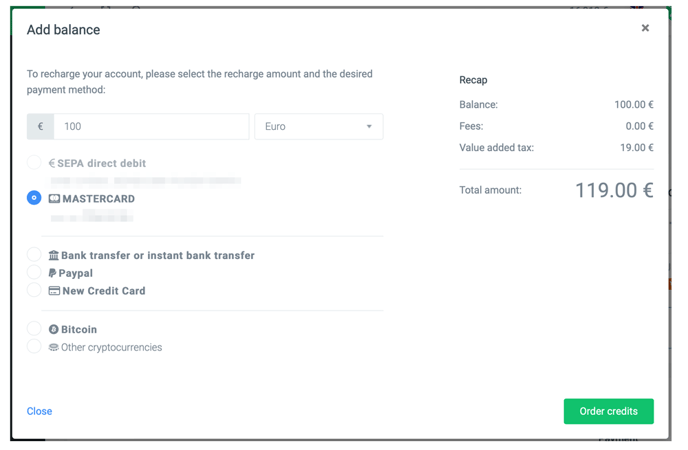
Note: If one of our filters does not release a payment immediately, there may be a small delay. See My credit was not topped up for details.
Automatic recharge
Auto Recharge avoids late top-ups and the resulting undelivered messages. On the Billing page click Configure in the Auto Recharge card.
Toggle Enable Auto Recharge, pick a Payment Method, a Balance Threshold (the level that triggers a top-up) and a Top-up Amount. Click Save to apply.
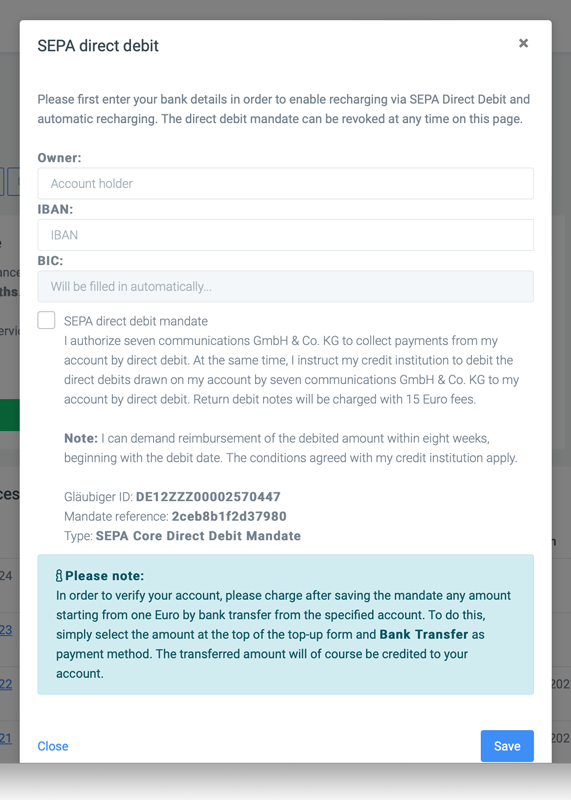
Note: Auto recharge runs without your involvement. Cards that require 3-D Secure confirmation for every transaction will decline such an unattended charge. In that case use SEPA direct debit or a card that does not require approval for every transaction - see My credit was not topped up.
Add a payment method (e.g. SEPA)
To add a new payment method, click + Add Payment Method in the Payment Methods card. Pick Credit Card, SEPA Direct Debit or PayPal and follow the prompts.
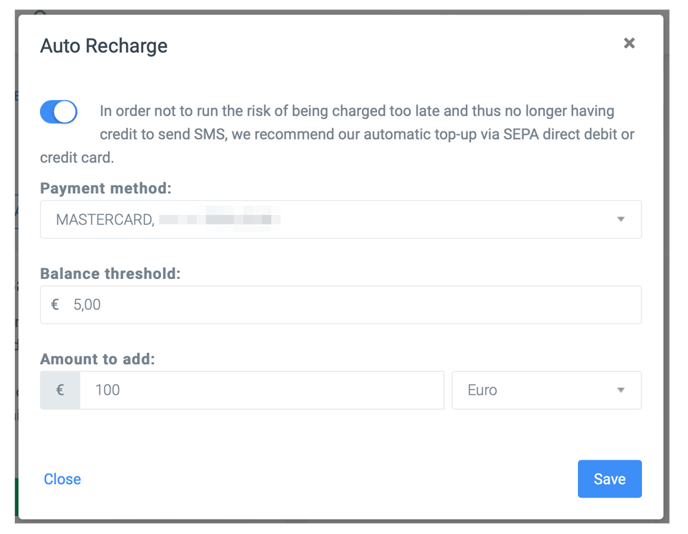
For SEPA Direct Debit you grant the mandate directly in the form, and the payment method can be used right away.
Changing your bank details: Only one SEPA Direct Debit can be stored at a time. Remove the existing SEPA payment method under Payment Methods first, then add the new bank details via + Add Payment Method > SEPA Direct Debit.