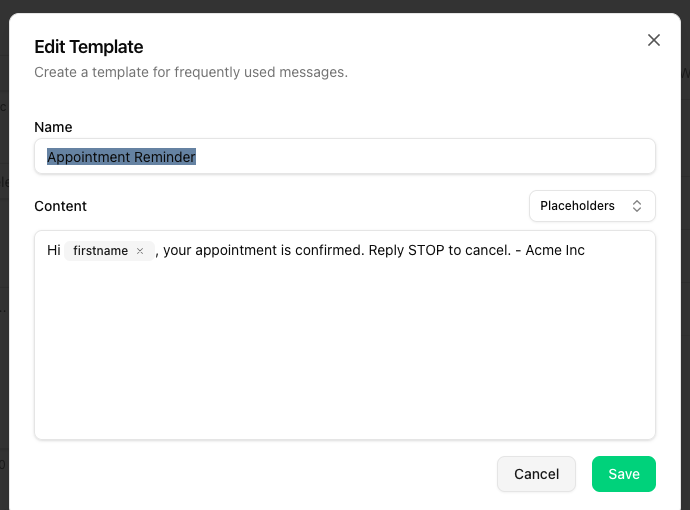
If you often send the same or similar messages, templates save time.
Open templates
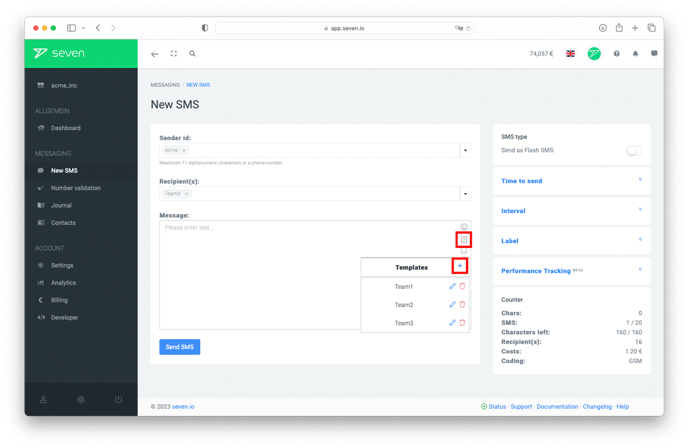
In the compose area in Conversations - both inside a conversation reply and in the New message dialog - the toolbar above the text field contains a book icon. Click it to open your templates.
Create, use and delete templates
The open SMS Templates popover lists all your existing templates. Click the plus at the top right to create a new one.
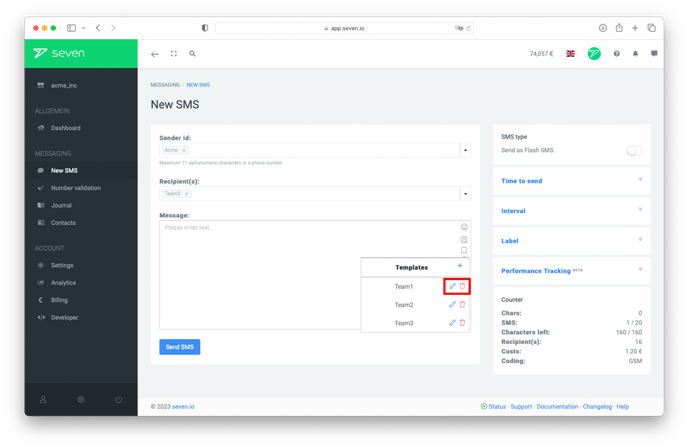
- Click a template to insert it into your message.
- Click the pencil icon to edit an existing template.
- Click the trash icon to delete a template. Deletion is not confirmed and cannot be undone.
The edit dialog lets you change the name and the content. Use Placeholders at the top right to insert variables like first or last name as pills - they're replaced with the recipient's contact data automatically when the message is sent.