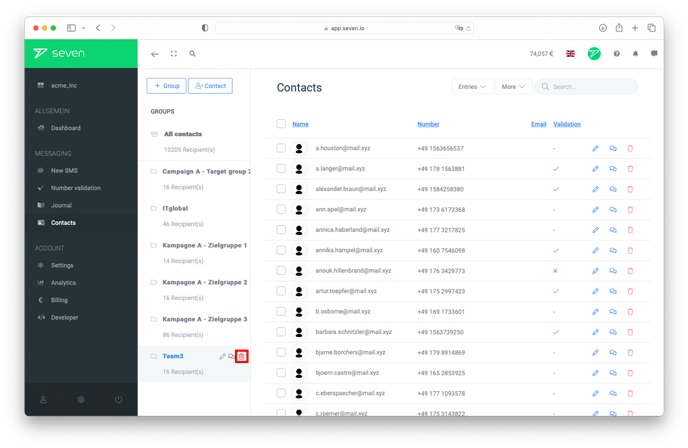
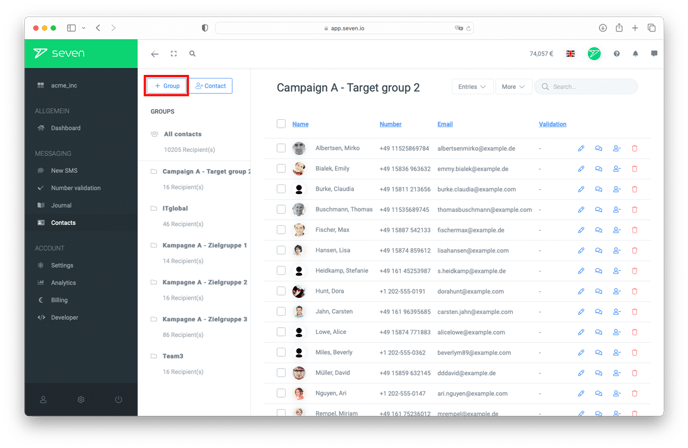
Create a group in the webapp
Open Contacts from the left menu. In the GROUPS sidebar on the left, click the folder-plus icon next to the heading. In the New Group dialog, enter a Group Name (and optionally an icon) and click Create.
Create a group while importing a CSV file
If you import contacts via a CSV file, you can create a new group in the same step. Just enter a new group name in the corresponding field. Make sure the name does not already exist, otherwise the contacts will be added to the existing group.
Delete a group
To delete a group, open the three-dot menu next to the group in the GROUPS sidebar and pick Delete Group. In the Delete Group dialog you can optionally tick Also delete contacts in this group to remove the contacts as well.