To change the email address in your account (for example, if another employee needs access or your e-mail address has changed), simply follow the steps below.
How to Change Your Email Address
Click your account avatar in the bottom-left sidebar and pick Profile.
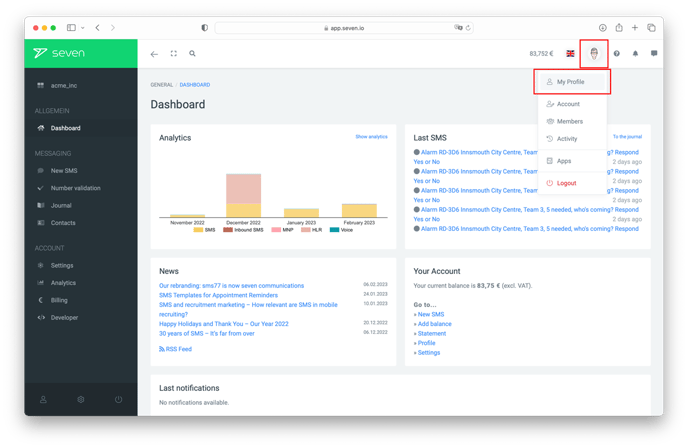
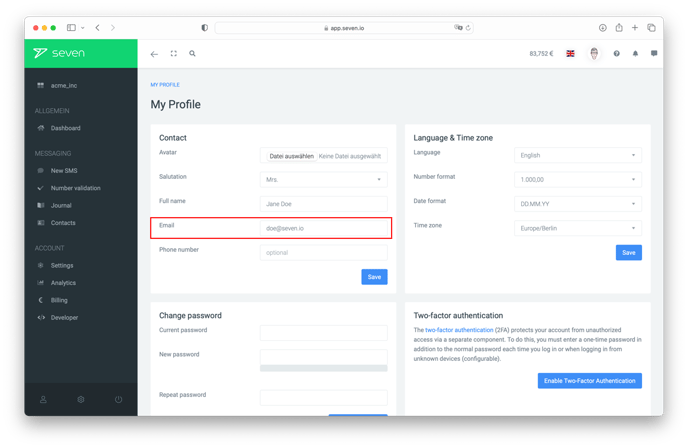
On the Contact Information page you will find your personal settings. You can adjust your Salutation, Full Name, Phone Number and more here.
In the Email field, enter your new email address and click Save Changes.
Confirming the Change
You will then receive a notification that your change has been made, and another notification about an E-Mail sent to your new address for confirmation. Clicking the confirmation link in said E-Mail is the final step in changing your Email address.
After confirming the change, you will receive another E-Mail to both the new as well as the old address. This way you, should it be necessary, you can contact support and undo the change.