Navigating to the Payment Settings
If you want to switch the billing interval of your phone number from monthly to yearly (or back), you can do this yourself in a few steps.
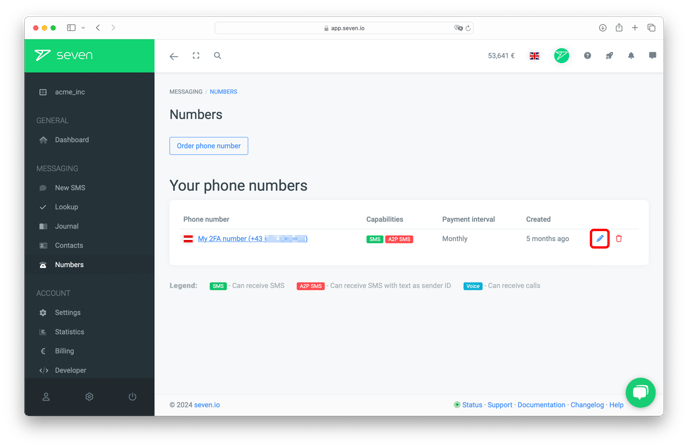
Click Phone Numbers in the left-hand menu. Next to the number you want to adjust, click the edit icon (pen) in the Actions column.
Selecting a New Interval
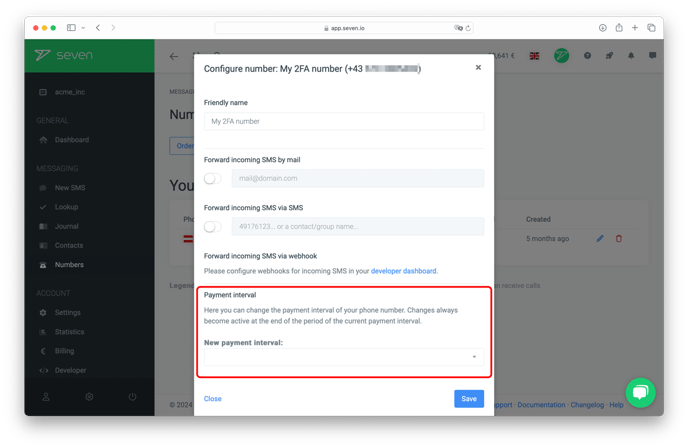
In the Edit phone number dialog, scroll down to the Payment interval field.
Pick your desired interval (Monthly or Yearly) from the dropdown and click Save.
When the Change Takes Effect
Your changes take effect at the end of the current billing period.