Subaccounts are accounts inside a main account that "belong" to the main account and are managed by it. Each subaccount has its own credit balance and resources. All administrators of the main account have access to all subaccounts.
Subaccounts are an ideal way to separate phone numbers, usage and settings per end customer or project. They're especially useful for resellers who need to keep clients separated, and equally helpful for splitting between branches or departments.
Manage subaccounts
Click the account switcher at the top left (e.g. Acme Inc · 3 Subaccounts). The Switch account dropdown lists all subaccounts with their balances and the SMS volume of the last 30 days. Use + New account to create a new subaccount - the recipient receives an activation email.
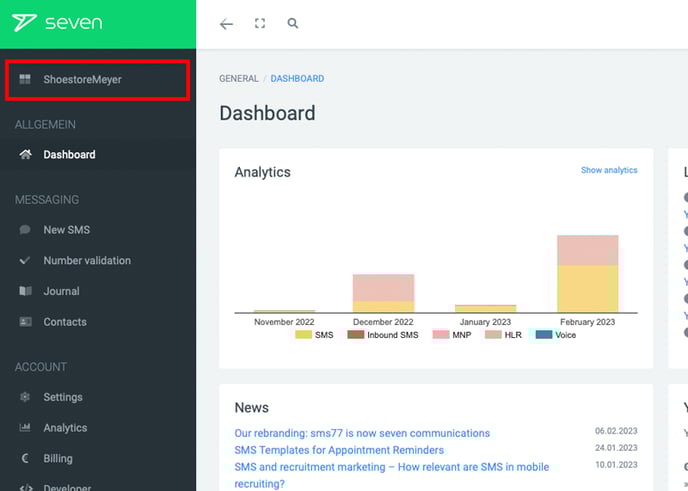
Click the icon next to a subaccount to open its management dialog. The Overview tab shows account data and statistics, lets you sign in via Log in as subaccount and offers Delete. Any remaining credit on a deleted subaccount is automatically transferred back to the main account.
Transfer balance
The Balance tab lets you transfer money from the main account to the subaccount manually. Enter an Amount and confirm with Transfer balance.
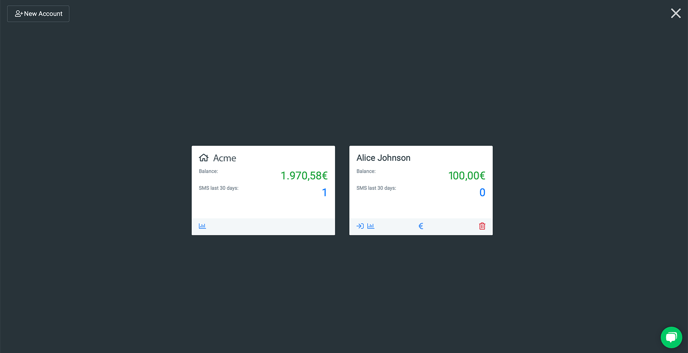
The Auto Top-up tab configures automatic transfers: set a threshold and an amount. As soon as the subaccount's balance drops below the threshold, the configured amount is transferred from the main account. If the main account doesn't have enough credit at that time, you receive an email notification. A 0 disables the feature.
Top up subaccount credit independently
A subaccount can also top up its own credit directly - the procedure matches the regular top up flow.