Overview
When you use Performance Tracking, links in your SMS are automatically replaced with short links. By default, these short links run on our shared domain svn.me. With a custom domain, they run on your own domain instead. The domain is also used when you send attachments.
Setting up Your Custom Domain
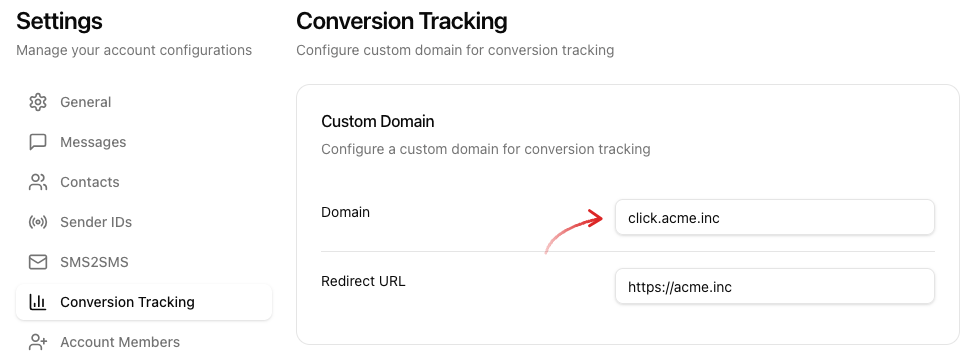
Click your account in the bottom left and open Settings -> Conversion Tracking. In the Custom Domain section, enter the following:
- Domain: your short domain, e.g.
click.example.com. - Redirect URL: requests to the domain without a path (root URL) are forwarded to this URL, e.g. your website.
Then click Save Changes.
Setting the DNS Record
Create a CNAME record for the domain pointing to customer-domains.seven.io. If you need help with this, please contact the provider that manages your domain.
After saving, the Custom Domain section shows whether the DNS record was detected: DNS successfully configured or DNS failed.