When you send an SMS via our gateway, you can also attach files to the message.
These files are sent in the SMS as a shortened link that takes your recipients directly to the download. With this feature you can send documents and images via SMS.
File Requirements
You can attach any file format.
The size of the individual file must not exceed 8MB.
The number of characters of the SMS will be reduced by the number of characters of the shortened link, not by the number of characters in the title.
Adding an Attachment via Webapp
Click New message to open the Send Message dialog, then click the paperclip icon (Add file) on the message toolbar. Pick New file to open the Upload file dialog.
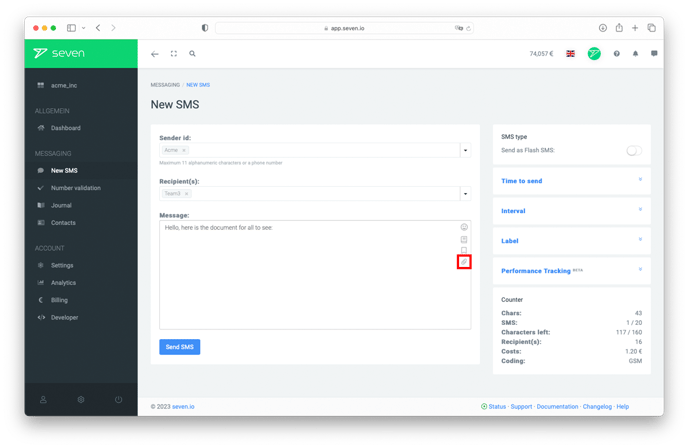
In the Upload file dialog:
- Select file: drop a file into the upload area or click to choose one.
- Validity (days): set how long the download link should stay valid (1-30, default 3).
- Password (optional): protect the download with a password.
Click Upload. The file is added to the message and shown in the toolbar. You can then send your message as usual.
Via HTTP API
You can also send file attachments directly via our API. For this purpose, the respective files must be passed as an associative array in the files parameter.
The respective parameters for file, validity period and password can be found in the HTTP API documentation under the point file attachments. Here you can also find examples.
Data Security
If you upload a file that is sent as an attachment, it will be stored by us in AES256 encrypted form.
If you give a password, the files are encrypted with the password and cannot be viewed by anyone without a password.
The file will be deleted after the validity period you set.
Do you have any further questions about sending files via SMS?
Our support will be happy to help you.