Adding Emojis
Our gateway fully supports emojis. Click New message, then click the smiley icon on the message toolbar to open the emoji picker - or just paste an emoji directly from any other application into the message field.
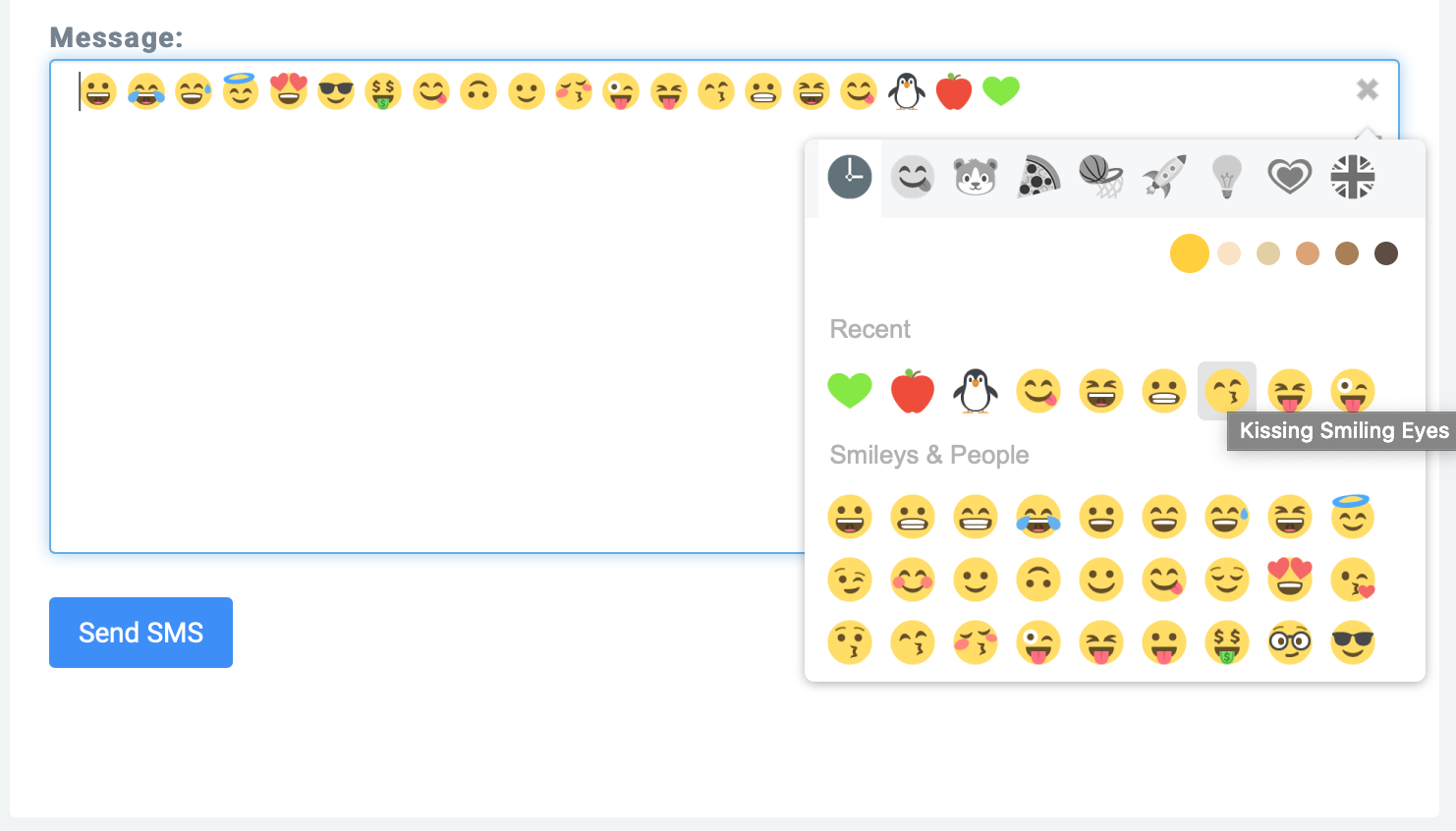
A complete list of all emojis can be found here:
https://unicode.org/emoji/charts/full-emoji-list.html
Encoding and length when using emojis
Emojis are not part of the GSM-7 alphabet. As soon as one emoji appears in your text, the entire SMS is sent in UCS-2 (UTF-16 in practice) instead of GSM-7. This shrinks one SMS segment from 160 to 70 characters.
A "character" here is a 16-bit code unit (2 bytes). Most popular emojis like 🎉, 😀 or 🥳 live outside the BMP and are stored as a surrogate pair - so a single emoji takes up 2 code units (4 bytes) in the counter. Some emojis combined with skin-tone modifiers or zero-width joiner sequences (e.g. 👨👩👧👦) consume even more.
If your message exceeds 70 characters, it is split into multiple SMS segments of 67 characters each and billed accordingly. You can find an overview of all segment sizes under SMS pricing. Watch the live counter in the Send Message dialog (it switches from GSM to UCS2 once an emoji is added) to keep an eye on segment count and cost.
Sending via HTTP Api
Emojis, like the rest of the text, must be urlcoded. For this the individual bytes of the Emojis are transferred URL-encoded.
This smiley 😀 for example is converted into the following code in the parameter for the SMS text: %F0%9F%98%80