Account Currency
Your account currency is set during registration. Changing the account currency afterwards is currently not possible.
Topping Up in Different Currencies
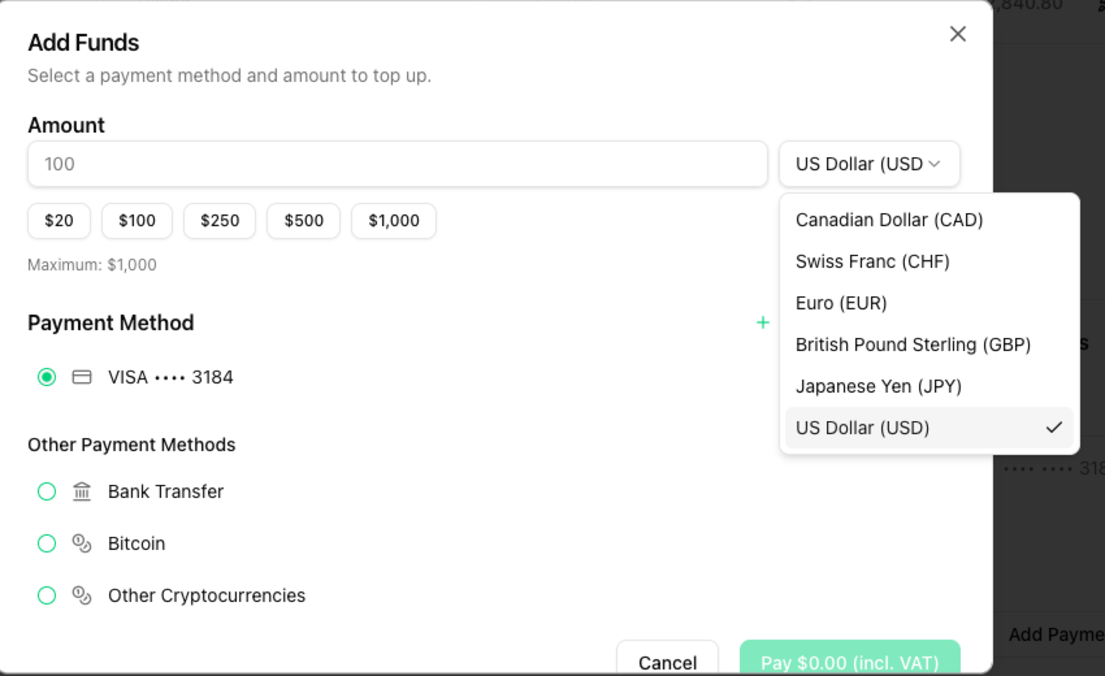
You can, however, top up credit in different currencies. This works for both the regular top-up and the automatic top-up.
Available currencies
- Canadian Dollar (CAD)
- Swiss Franc (CHF)
- Euro (EUR)
- British Pound Sterling (GBP)
- Japanese Yen (JPY)
- US Dollar (USD)
Regular top-up
- Open the Billing page.
- Click Add Funds.
- Pick the desired currency in the dropdown next to the amount.
Note: Payments by bank transfer are only possible in Euro (EUR). The other currencies are available for the remaining payment methods.
Auto Recharge
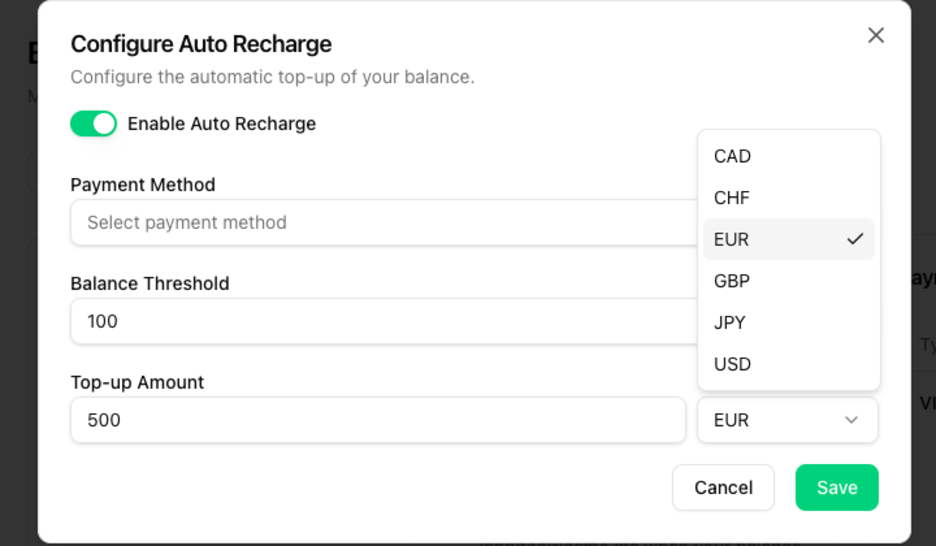
You can also pick a currency for the automatic top-up:
- Open the Billing page.
- Click Configure next to Auto Recharge.
- Toggle Enable Auto Recharge.
- Pick the desired currency next to the Top-up Amount.
You can find details on how to top up here: Top up your account.