Where to find the DPA
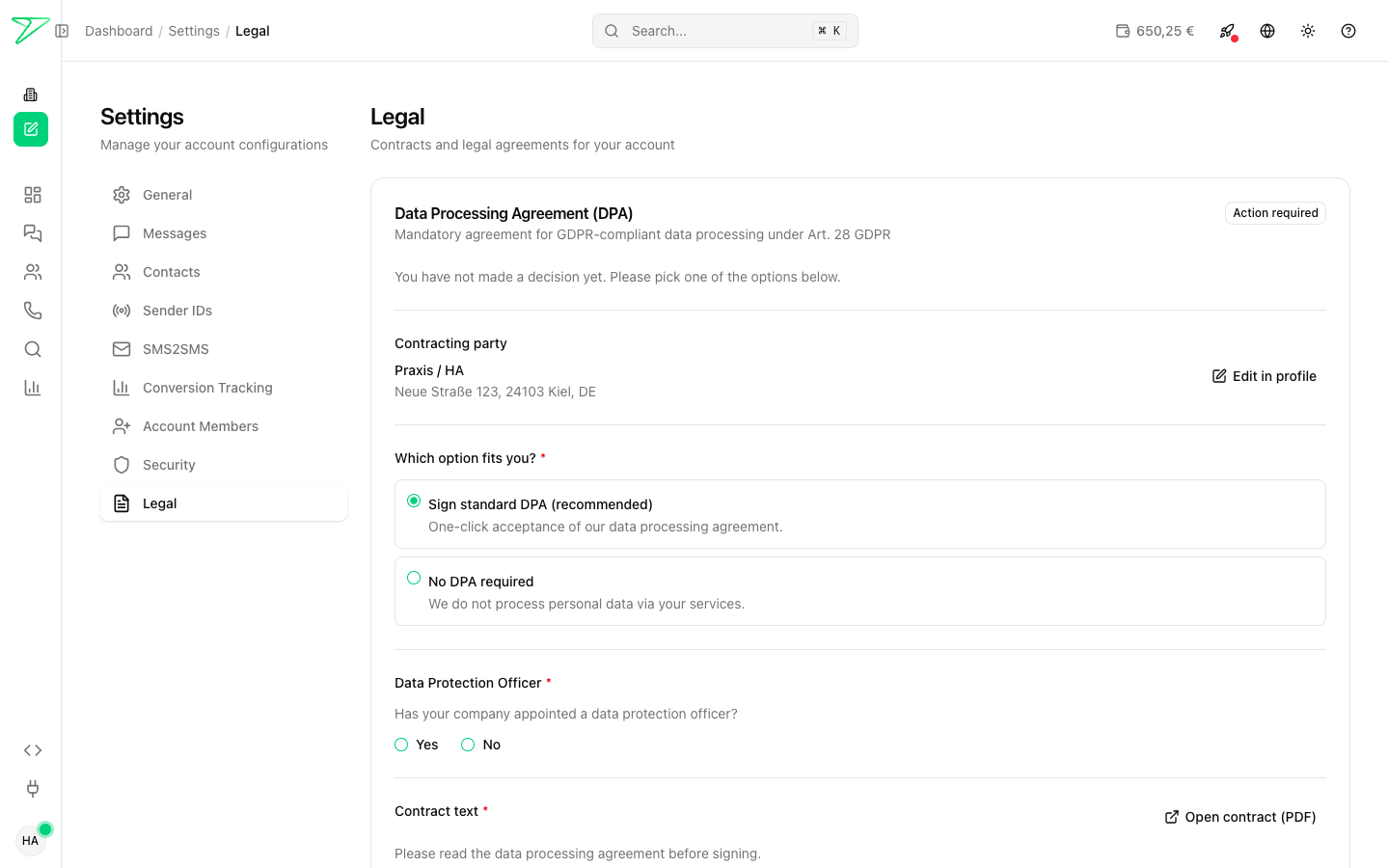
You sign the Data Processing Agreement (DPA, per Art. 28 GDPR) directly in the dashboard:
dashboard.seven.io > Settings > Legal
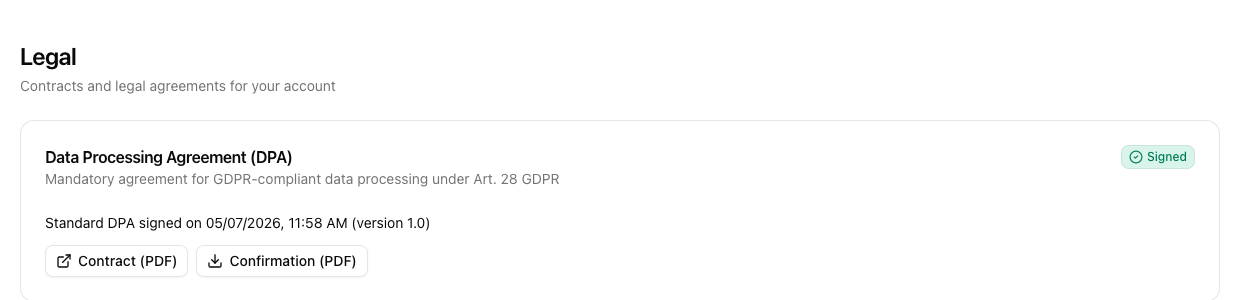
As long as no DPA has been signed, the status reads Action required. Once signed, the status changes to Signed and both the contract and the confirmation are available as PDF downloads at any time.
Two options to choose from
In the "Which option fits you?" section you can choose between:
1. Sign the standard DPA (recommended)
One-click acceptance of our standard DPA. The contract covers all clauses required under Art. 28 GDPR and is the simplest path for most companies.
2. No DPA required
Pick this option if no personal data is processed through our services (for example, purely technical notifications without any personal reference).
Note: We no longer accept individually negotiated DPA templates through the dashboard. If you have a special case, please contact support@seven.io in advance.
Professional secrecy (Section 203 StGB)
From version 2.3 onwards, Section 3 of the standard DPA explicitly obliges our staff to observe the secrecy of telecommunications (Section 3 TDDDG), social secrecy (Section 35 SGB I) and professional secrecy under Section 203 StGB. Medical practices, law firms and software vendors serving these professions do not need a separate agreement. If you signed an older version, simply update the DPA in the dashboard. Learn more in the article Professional secrecy under Section 203 StGB.
Sign the standard DPA in five steps
- In the dashboard, open
Settings > Legaland the "Data Processing Agreement (DPA)" box. - Under "Contracting party", verify that your company name and address are correct. If not, update them via "Edit in profile".
- Under "Which option fits you?" select Sign the standard DPA.
- Under "Data Protection Officer", state whether your company has appointed a DPO (Yes/No).
- Open the contract via "Open contract (PDF)", tick the confirmation checkbox and click Sign DPA legally binding.
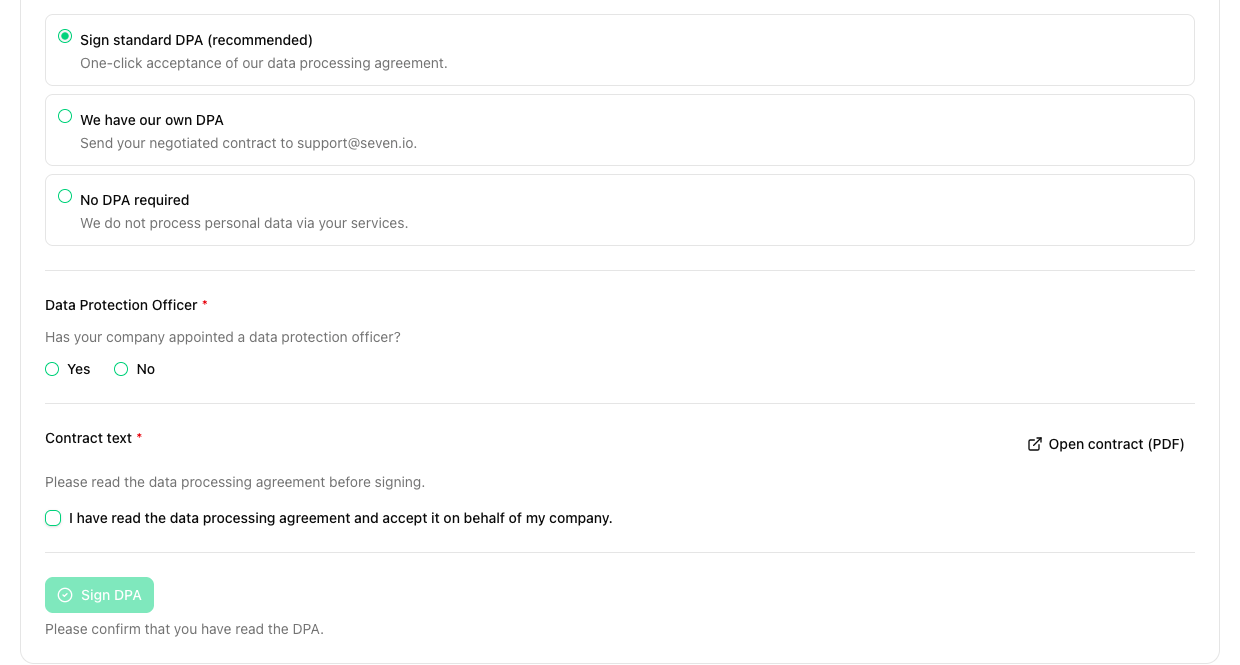
The confirmation PDF is available for download immediately afterwards.
Download contract and confirmation
After signing, the box shows two buttons:
- Contract (PDF) - the signed standard DPA.
- Confirmation (PDF) - an automatically generated confirmation with date, time, version number and signature hash.
Both documents stay permanently accessible and can be downloaded at any time.
What about the old paper process?
The previous workflow with a printed template sent by post is no longer needed. Existing paper DPAs remain valid. If you want to switch, you can sign the new digital DPA in the dashboard at any time, which supersedes the previous agreement.
You can find more information about data protection on our website.
This article does not replace individual legal advice.